Tutorial: Bevy, from a Rust template to a web build
Preview tools Bevy 0.20 Rust 2024 About 25 minutes
You will take a Bevy game template, build it for the browser with Trunk, describe the build in vapour.toml, add an
on-screen stick for phones, run it locally with the FPS overlay and profiler, and set up CI.
Sample repository: vapour-computer/tutorial-bevy-template,
branch vapour-tutorial. It is a fork of NiklasEi/bevy_game_template (CC0).
What is verified, and what is not
| Step | State |
|---|---|
| The web bundle builds | Verified on GitHub Actions: the vapour-check workflow passes. The bundle is 35 MB |
vapour controller check accepts the layout |
Verified |
vapour test serves that bundle with the FPS overlay |
Verified. We downloaded the exact bundle CI built and ran it (screenshot below) |
vapour publish --dry-run packs it |
Verified: 9.5 MiB |
The profiler, and vapour build on this project |
Not run. We could not install Trunk locally (see the Trunk trap), and vapour build calls it |
| The stick working on a real phone | Not verified. Preview feature, not tested on a device |
| Publishing to Vapour | Not run. Needs your token and a released vapour-ci |
1. Get the project and the tools
git clone https://github.com/vapour-computer/tutorial-bevy-template.git
cd tutorial-bevy-template
git checkout vapour-tutorial
GitHub's comparison of the branch with upstream shows everything we added:
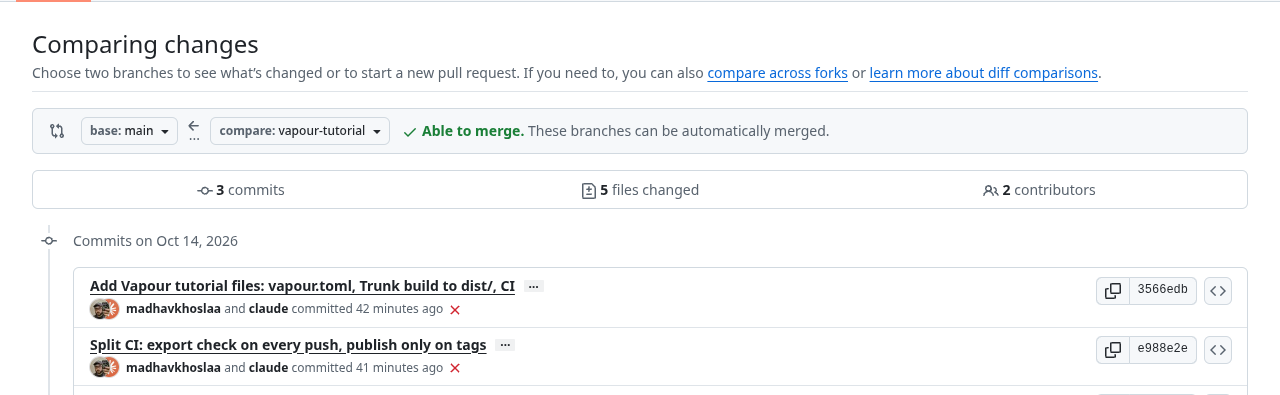
The red crosses are earlier CI runs that failed or were cancelled while we fixed the workflow (see CI).
You need a recent stable Rust, the WebAssembly target, and Trunk:
rustup target add wasm32-unknown-unknown
cargo install --locked trunk
A trap we hit installing Trunk
On our machine (a current Arch Linux with GCC 16) cargo install trunk failed. The build of a C dependency,
libdeflate-sys, stopped with AVX-512 errors, and switching the compiler to clang did not help. If this happens to you,
install a prebuilt Trunk instead (your package manager, or the project's release binaries). GitHub's Ubuntu runners
compile it without trouble, which is why the CI build below works.
2. Look at how the template builds
The template already knows how to build for the web. Trunk.toml sets the public URL to ./, and its index.html tells Trunk to copy
the assets and credits folders and to inline two files from build/web/: styles.css and sound.js.
That detail decides everything that follows. In this template, build/web/ is a source folder, and Trunk's default output is
dist/. The template's own CI runs trunk build --release and uploads dist/.
A trap we hit: the generic
vapour-ciBevy workflow builds with--dist build/web, and a first guess forbuild.diris alsobuild/web. Here that would write build output into the folder that holds your source files. Usedist/.
3. Describe the build in vapour.toml
[project]
title = "Bevy Game Template"
slug = "tutorial-bevy-template"
engine = "bevy"
platform = "desktop"
version = "0.1.0"

[build]
command = "custom"
args = ["trunk", "build", "--release", "--public-url", "./", "--dist", "dist"]
dir = "dist"
engine = "bevy"tells Vapour how to treat the files. For example, nothing underassets/is marked as needed at boot.command = "custom"runs exactly the program inargs. Bevy's automatic exporter exists, but this template is built with Trunk, so we say so. The first item ofargsis the program, the rest are its arguments.dir = "dist"is where Trunk puts the bundle.vapour buildthen checks thatdist/index.htmlexists.
Run it:
vapour build
vapour build runs the Trunk command, checks dist/index.html, and writes .vapour/build.json: every file, its size, and
whether it is needed at boot. Add both folders to .gitignore:
dist/
.vapour/
Every vapour.toml entry is explained in the reference.
4. Touch controls
The template handles input in two ways (both in src/gameplay/actions/):
- Keyboard: W A S D and the arrow keys.
- Touch: tap anywhere and the player walks towards your finger.
So this game already works on a phone, in a way. Why add controls? A tap-to-follow game feels different from a stick: the player cannot hold a direction while looking at where they are going. We added one stick that presses the keys the game already reads, with no change to the Rust code:
[controller]
mode = "keyboard-map"

[[controller.controls]]
id = "move"
type = "joystick"
x = 0.22          # centre of the stick, as a fraction of the screen; y grows downward
y = 0.74
w = 0.30
h = 0.30
up = "w"
down = "s"
left = "a"
right = "d"
deadzone = 0.15   # ignore tiny movements near the centre
sensitivity = 1.0
repeat_hz = 60    # how often a held direction is re-sent
$ vapour controller check
Controller mode: keyboard-map
  move         joystick at (0.22, 0.74) size (0.30, 0.30)
    joystick tuning: deadzone=0.15 sensitivity=1.00 repeat_hz=60
Controller config looks good.
Tip: run `vapour controller preview` to see the layout.
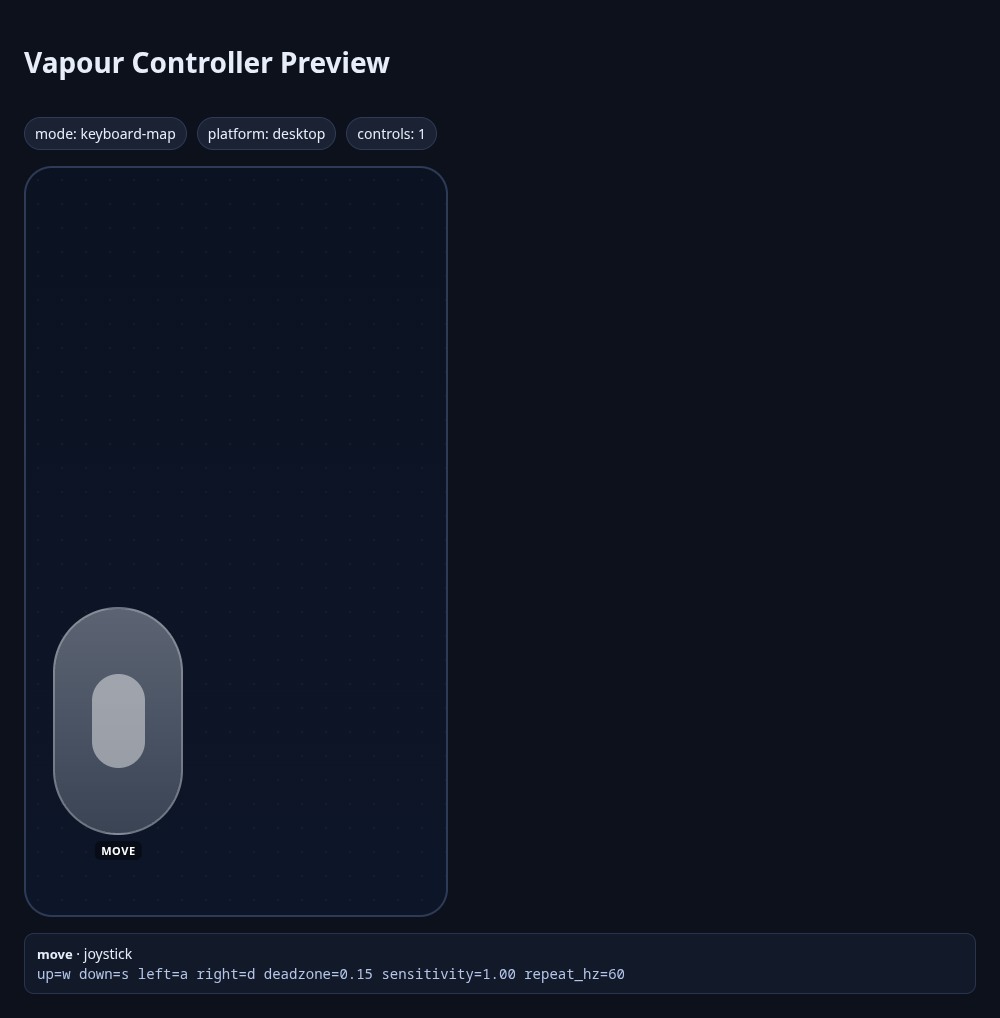
Something to check on a real phone. In the template, when a touch exists, tap-to-follow replaces the keyboard movement. If touching the on-screen stick also counts as a touch inside the game, the two inputs would fight. We could not test this. If you see it, the simplest fix is a small change in the game's movement code to ignore touches while the keyboard direction is non-zero.
5. Run it locally
vapour test
You get your build in a Chromium window with an FPS overlay, and the profiler in a second tab. See
Profile your game locally for what each shows. Bevy's wasm build is a single large .wasm plus
your assets, so watch memory in the profiler as well as FPS.
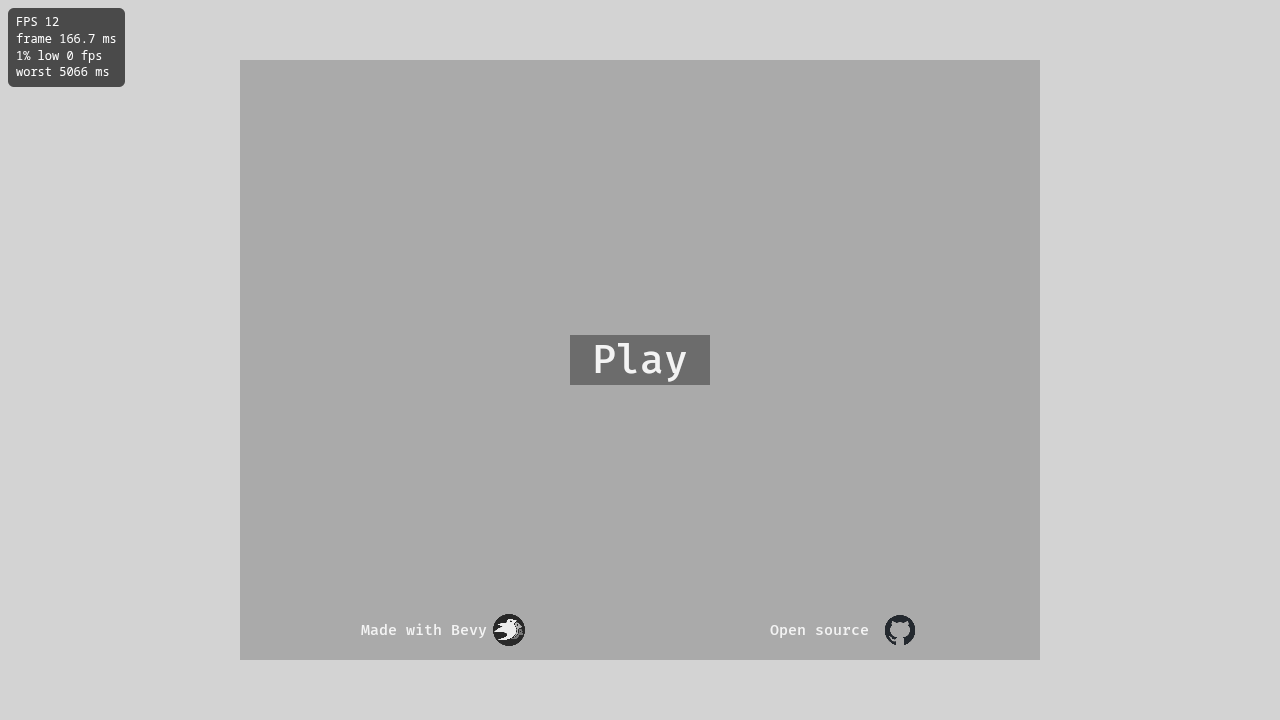
The bundle GitHub Actions built, served by vapour test and captured in headless Chromium. The FPS is low (12) because
headless Chromium renders in software; on real hardware it will be far higher.
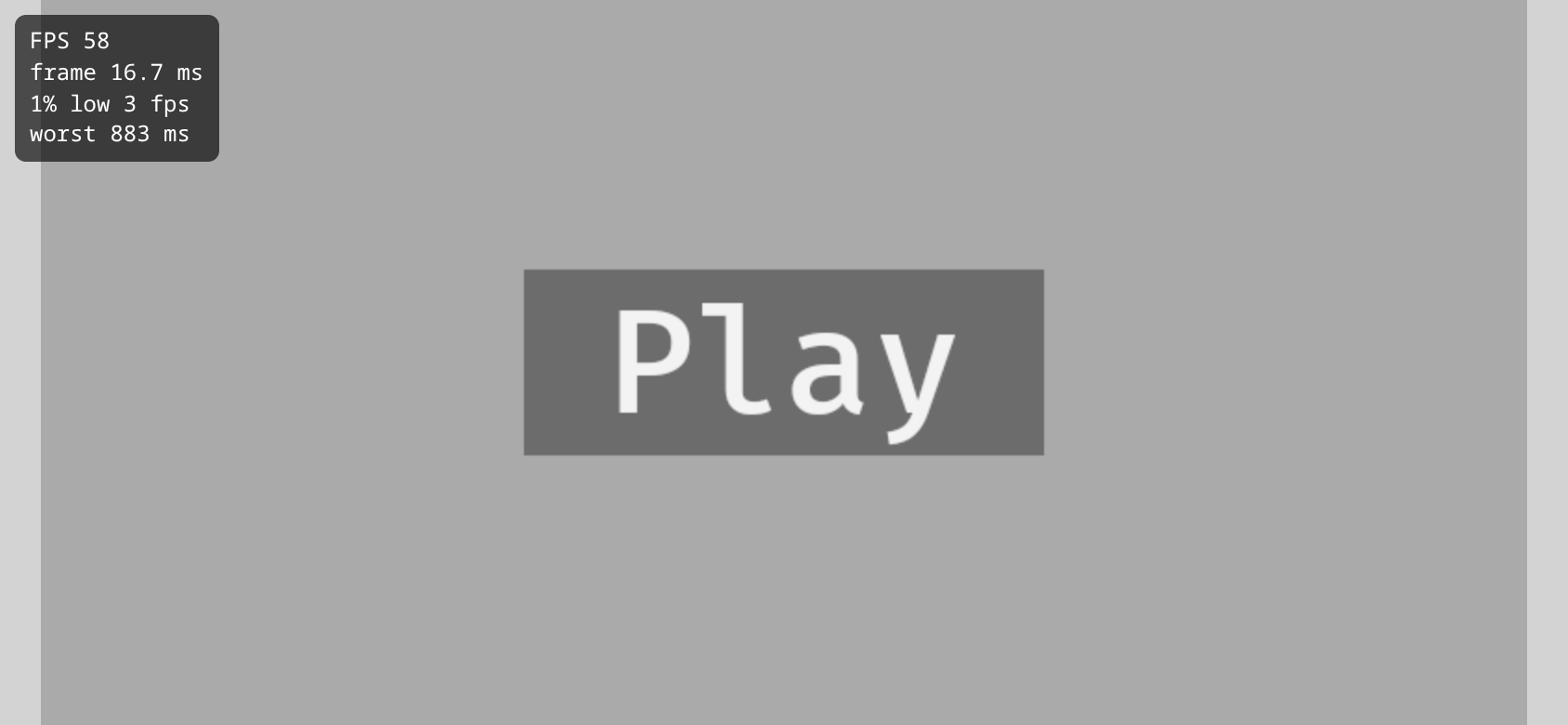
Press Play and the game starts. This is where the overlay earns its keep:
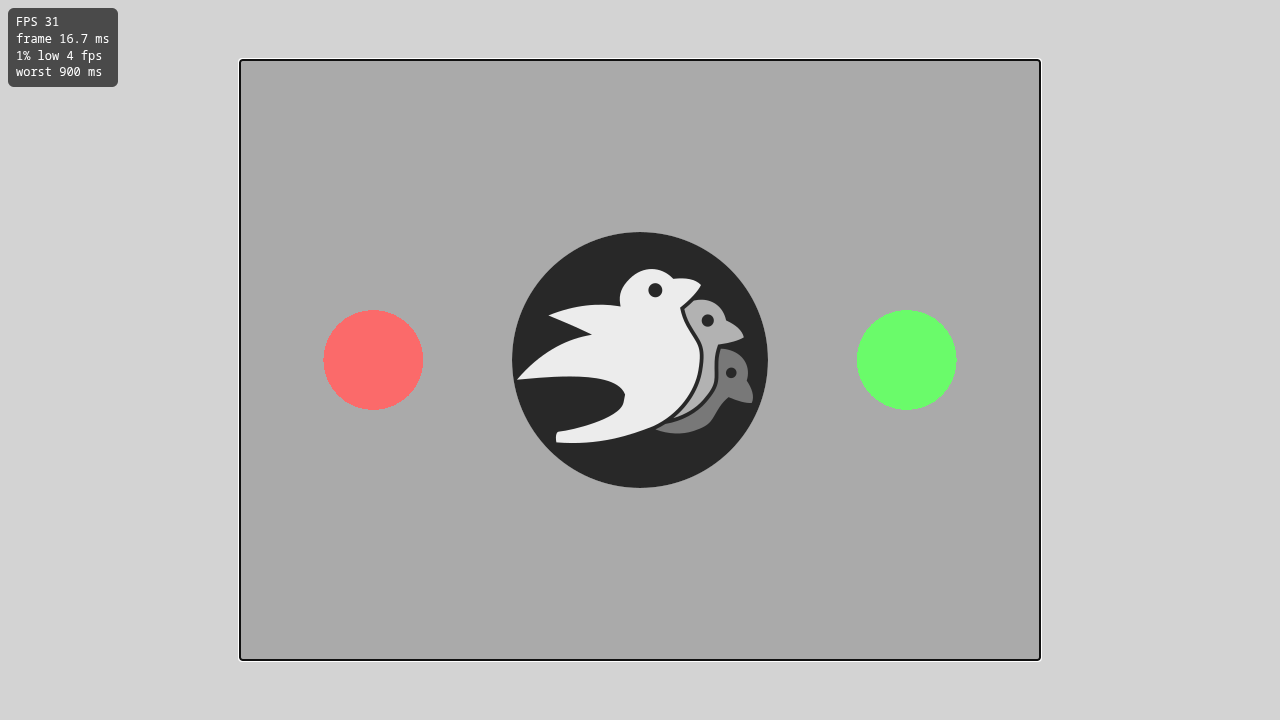
The average is a healthy-looking 31 FPS, but the 1% low is 4 FPS and the worst frame is 900 ms. Those are the start-up hitches as the game loads. This is exactly why the 1% low, not the average, is the number to watch.
In an emulated phone viewport (844 × 390, touch enabled):
6. CI
Two workflows live in .github/workflows/:
vapour-check.ymlruns on every push and pull request. It installs the WebAssembly target and Trunk, runstrunk build --release --public-url ./ --dist dist, checks thatdist/index.htmlexists, and keeps thedist/folder as a downloadable artifact for 7 days.vapour-publish.ymlruns when you push a tag such asv0.1.0and publishes withvapour-computer/vapour-ci@v1.
Its steps, in order: check out the code, install stable Rust with the wasm32-unknown-unknown target, restore a build cache, install Trunk,
run trunk build --release --public-url ./ --dist dist, check dist/index.html, and upload dist/.
A trap we hit:
vapour-ci@v1is not released yet, and GitHub resolves every action in a job before running any step, so one unresolved action fails the whole job even behind anif. That is why publishing is its own tag-only workflow. (Details in the Godot tutorial.)A speed tip:
cargo install trunkcompiles Trunk from source on every run, which takes minutes. The template's own workflow uses the prebuiltjetli/trunk-action, which is much faster.
7. Check the size
$ vapour publish --dry-run --skip-store
Packed dist (9.5 MiB) as version 0.1.0
Dry run: nothing uploaded.
The bundle is 35 MB on disk (almost all of it the 34 MB .wasm) and packs to 9.5 MiB, far inside the 512 MiB limit.
That is what a small Bevy game looks like; a game with large assets will be much bigger.
To publish, add a VAPOUR_TOKEN repository secret (create a token) and push a tag.
What you learned
- Check whether your template's
build/web(or any output folder) holds source files before you point a build at it. build.command = "custom"plusargslets Vapour build any toolchain, as long as the result is a folder withindex.html.- A game that already reads the keyboard needs no code change for a stick: map the stick onto the keys.
- Never let a publish step that needs an unreleased action run on every push.